Ringkeeper · free & open source
Run AI agents across all your clients, without switching connections.
If you work for many clients, each has its own database, Airtable, n8n and email. With Claude Desktop or Claude Code you reconnect your tools every time you switch. In Ringkeeper you connect each client’s tools once, attach them to that client’s projects, and just ask.
Windows 10/11 · beta · MIT license · runs on your computer with your own Claude
Demo
87 seconds, start to finish.
How it works
Built for one person with many clients.
Connect once per client
Each client’s database, Airtable, n8n, Vercel, Gmail and the rest are connected once and attached to that client’s projects. No reconnecting when you switch clients.
Requests find their project
“Add last week’s leads to Acme’s Airtable.” Ringkeeper works out which client and project you mean, uses that project’s connections, and picks the model for the job.
Clients never cross
One client’s connections can’t reach another client’s project. The gateway refuses the call, whatever the agent asks for.
Risky steps wait for you
Changes to live data, sending email, merges and pushes wait for your approval. Everything is logged.
Who it's for
One person, many clients.
- Freelancers and small agencies who build automations, sites and data work for many clients
- Operators already using Claude Desktop or Claude Code, tired of reconnecting tools per client
- Anyone who wants AI agents on live client systems, with every risky step waiting for a human
Use it from Claude Desktop
Keep your chat app. Add the rules.
A pass lets Claude Desktop, Claude Code or Cursor use one project’s connections through Ringkeeper. In Settings › Passes, pick the project and save the extension; double-click it and Claude Desktop installs it. The app never sees a client’s keys, and every call is checked the way a task’s is. You can revoke a pass at any time. How passes work.
| What | Claude Desktop alone | With Ringkeeper |
|---|---|---|
| Keeping clients apart | A connector isn’t tied to a client. Nothing stops one client’s chat from using another client’s connector. | Each connection belongs to one client. A pass reaches one project, and another client’s connection is refused on every call. |
| Approvals | Per tool: always allow, ask each time, or never. The same for test data and live data. | Reading runs. A change to live data waits for you, in the app or from Telegram, Slack or Discord. A delete needs the connection’s name typed. |
| Undo | None. | Database, Airtable and n8n changes can be reverted for 7 days. |
| Record | The chat. | Every call and every refusal in Activity, with secrets taken out. |
| Spend per client | Not tracked. | AI cost per client per month, a report you can send, and a monthly cap. |
What it looks like
Ask, approve, undo.
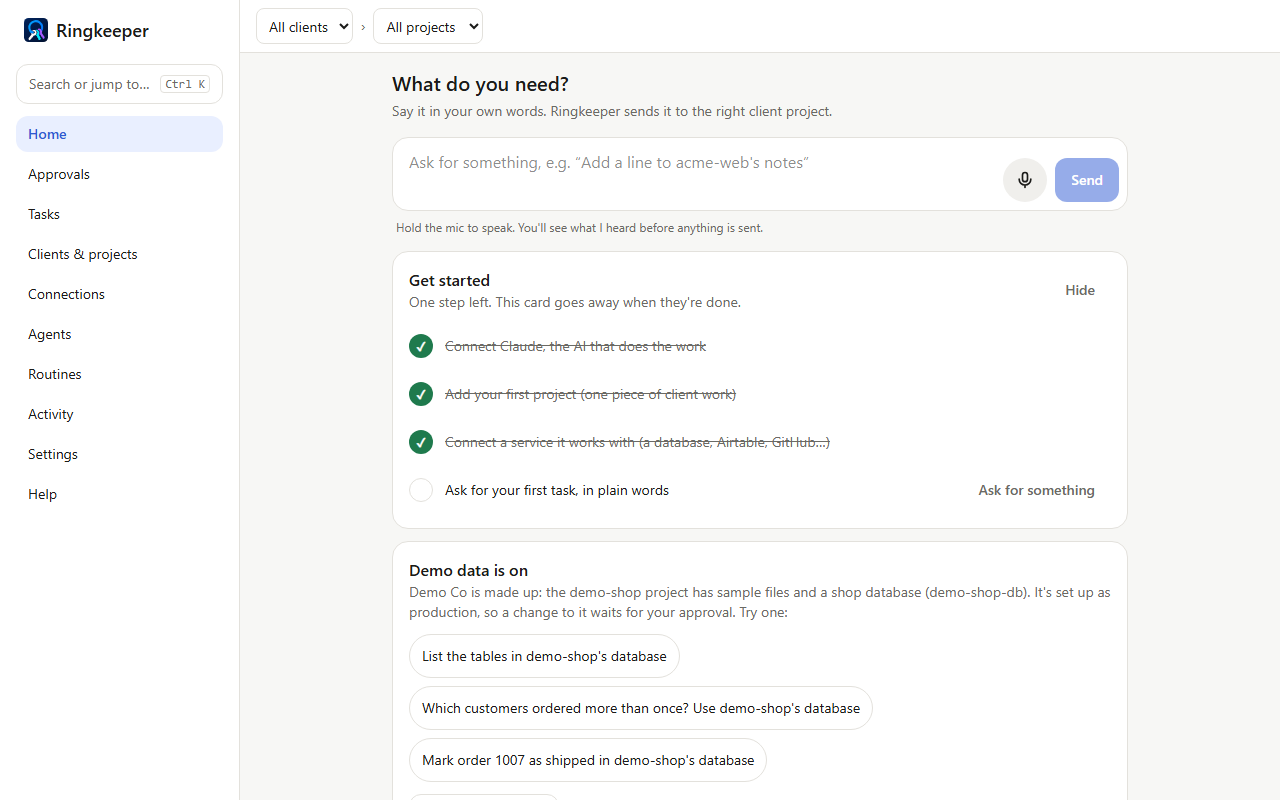
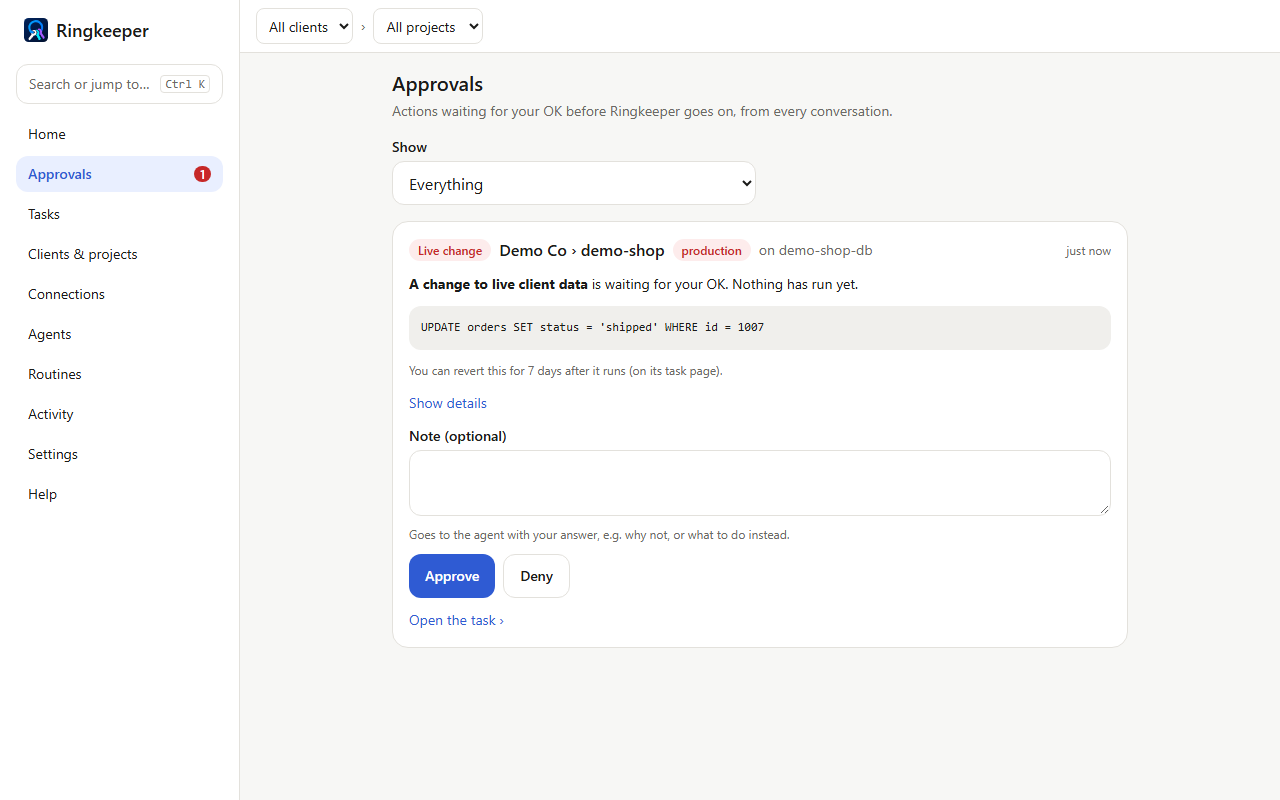
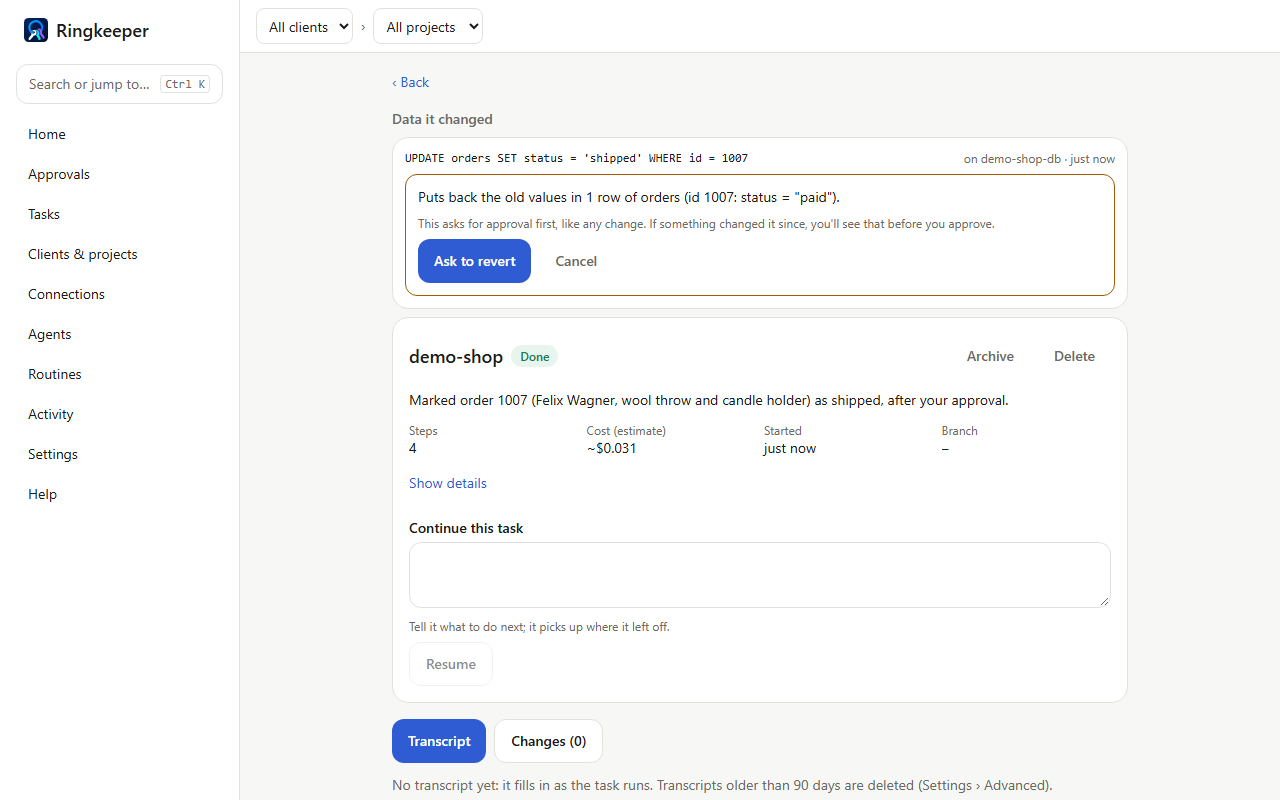
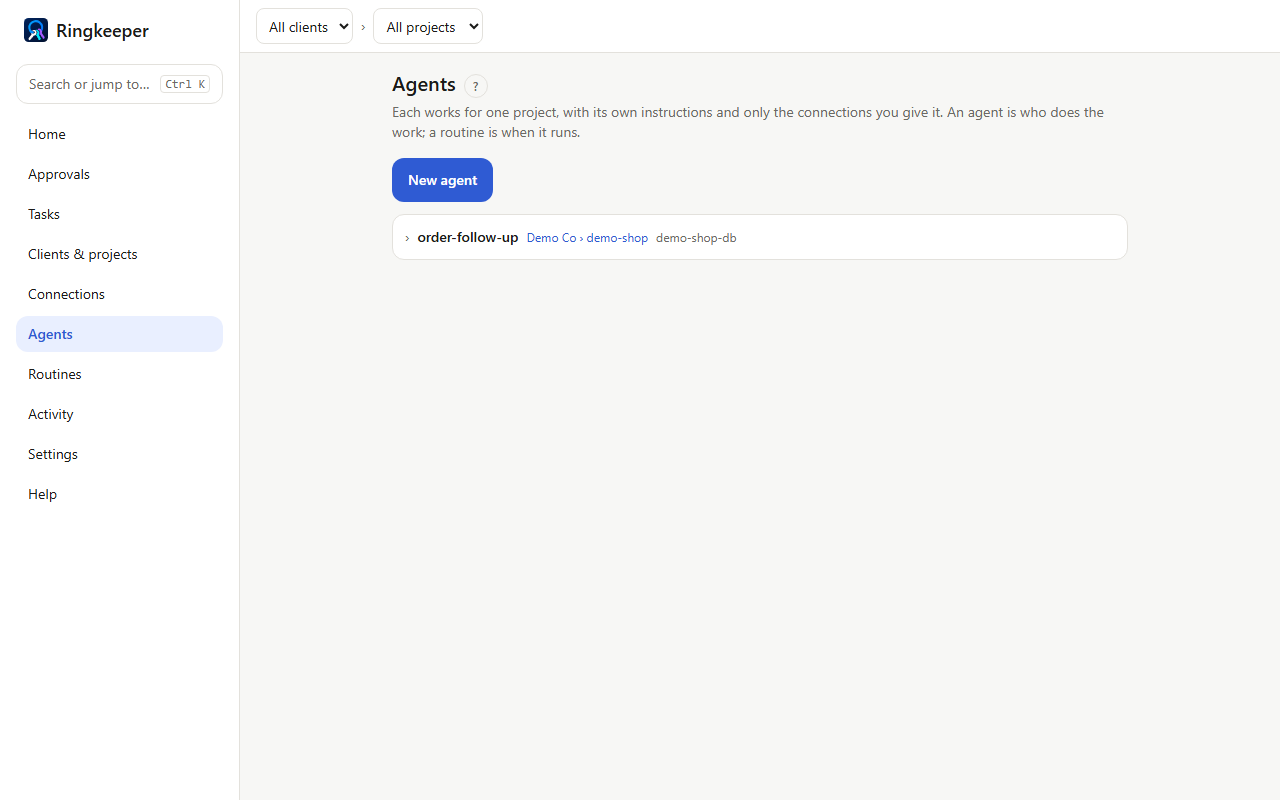
Screenshots use the built-in demo client: made-up data, no real client.
Architecture
The AI never holds a client's key.
Each task runs Claude Code with only a short-lived pass for its own project. Every call to a client's service goes through a gateway on your computer that checks the project may use it, adds the key itself, removes secrets from the answer and logs it. Changes to live data stop at Approvals.
Tested on a real model
23 of 23 scenarios passed.
Real requests through the real router, workers and gateway, against two made-up clients. Two scenarios push the model to reach the other client, one through a record’s text and one by naming the connection, and it declined both times. A good model usually won’t even try, so the self-test also calls the gateway directly: that’s what shows the gateway refuses. Six scenarios that need real test accounts were skipped. Read the report, or run it yourself.
Recipes
Start from a recipe.
A recipe is an agent and its routines in one file: a weekly client report, a fix for a failed n8n run, a weekly speed check. It has no keys and runs no code, you see all of it before it’s added, and its routines start paused. The starters are in ringkeeper-recipes, to use or to share your own.
Before you install
What to expect.
- It runs on your computer. No Ringkeeper account or service: your clients’ data stays with you, and the agents use your own Claude API key or subscription.
- It’s a beta. The installer isn’t signed yet, so Windows SmartScreen warns: click More info, then Run anyway. Updates install from inside the app.
- Try it without connecting anything. The first run offers demo data: a made-up client with a shop database and sample files, so you can run tasks and see a change wait for approval. One click removes it.
- Google accounts (Gmail, Drive, Calendar, Sheets, Docs) sign in through a Google app you create once in your own Google Cloud project. See the privacy policy for what Ringkeeper does with that access.
Need help setting it up?
I can help you install and connect Ringkeeper for your clients.
Open to contract AI-automation engagements across the US — on-site, hybrid, or remote.